
What Are Passkeys and Why They Are Replacing Passwords
What Are Passkeys and Why They Are Replacing Passwords
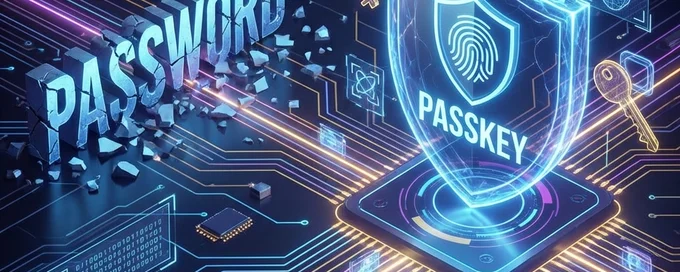
In the ever-evolving landscape of cybersecurity, the traditional password is becoming a relic. We've all been there: struggling to remember a complex combination of letters, numbers, and symbols, or worse, reusing the same password across multiple sites. Enter Passkeys—a revolutionary way to sign in that promises to be both easier and far more secure.
The Problem with Passwords
Passwords have been the standard for decades, but they are fundamentally flawed. They can be guessed, stolen, phished, or leaked in data breaches. To make them "secure," we are told to make them long and complex, which makes them impossible to remember. This leads to password fatigue and dangerous habits like writing them down or reusing them.
What Are Passkeys?
Passkeys are a modern authentication method that replaces passwords with cryptographic key pairs. Built on the WebAuthn standard, a passkey consists of two parts:
- Public Key: Stored on the website or app's server.
- Private Key: Stored securely on your device (like your phone, computer, or security key).
You don't need to remember anything. To log in, your device proves it has the private key using biometric usage (Face ID, Touch ID) or a device PIN.
Why Passkeys Are Better
1. Phishing Resistant
Since the private key never leaves your device and is bound to the specific website's domain, you cannot accidentally give it to a fake login site. Phishing attacks that trick you into typing your password simply don't work.
2. No More Memory Games
You don't need to remember a complex string. Your face, fingerprint, or device PIN is all you need.
3. Stronger Security
Passkeys use public-key cryptography, which is mathematically far stronger than even the best passwords.
How to Start Using Passkeys
Major platforms like Google, Apple, Microsoft, and many password managers (like 1Password and Dashlane) already support passkeys.
- Go to your account settings suitable for passkeys (e.g., Google Account).
- Look for "Passkeys" or "Sign-in options".
- Follow the prompts to create a passkey on your device.
The Transition Period
While passkeys are the future, we are still in a transition period. Not every website supports them yet. For those legacy sites that still require a password, it is crucial to use a unique, strong password for every account.
Tip: Use a tool like the Random Password Generator to create strong, uncrackable passwords for sites that don't yet support passkeys.
Conclusion
Passkeys represent a paradigm shift in online security. By eliminating the shared secret (the password), we eliminate the biggest vulnerability in digital identity. Start adopting passkeys where available, and protect your digital life with the security standard of tomorrow.